
BJJ Training Log — Built So You’ll Actually Use It
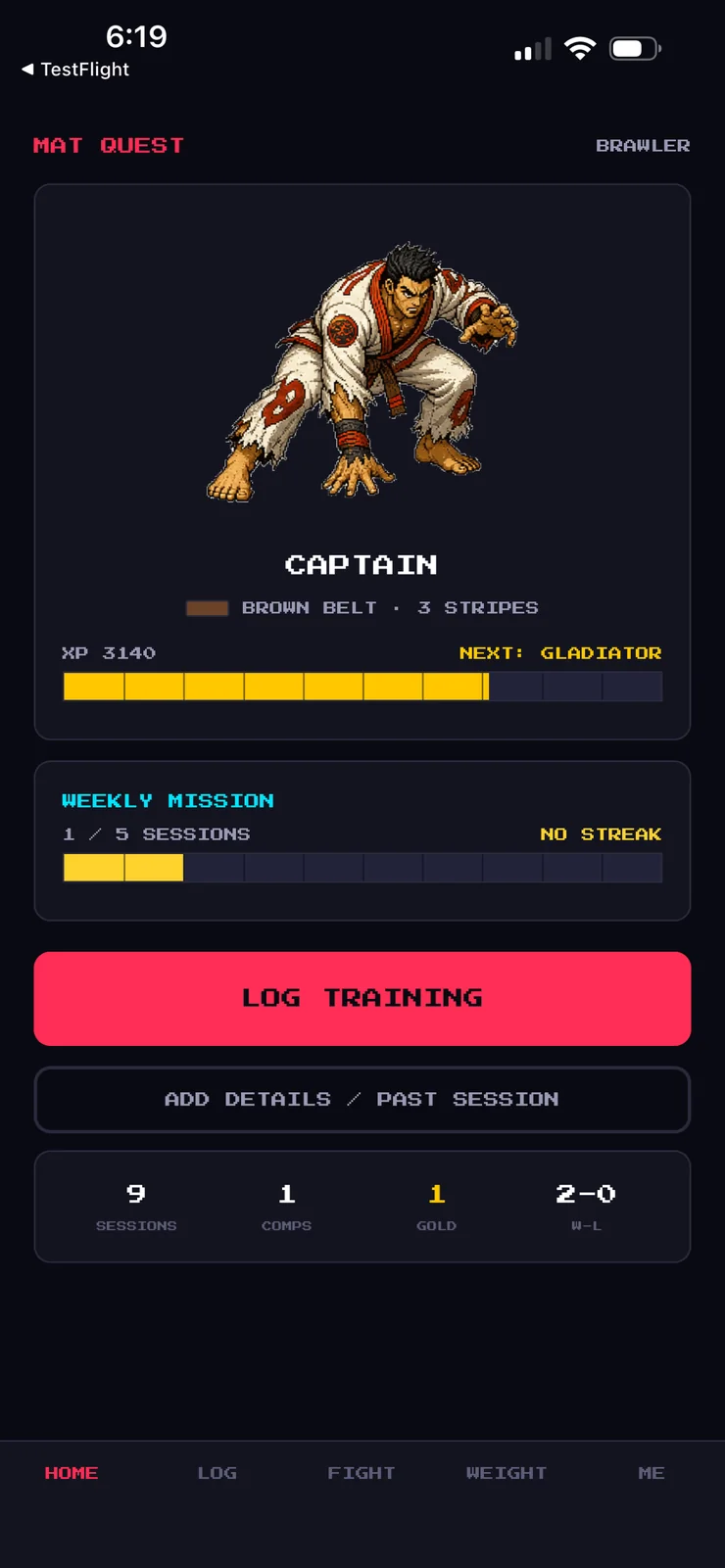
Short answer: Mat Quest is an iPhone app for logging BJJ training: one tap logs the session, and you can add gi or no-gi, rounds, duration and notes.
Ten fields is too many when your car is already running in the gym parking lot. Mat Quest’s log is one tap. The detail is there when you want it. The habit survives because the floor is low.
What a BJJ training log should capture
- That you trained. One tap — "I trained today." The session counts.
- Gi or no-gi. Two different games, logged separately.
- Duration and rounds. How hard the night actually was.
- Notes. What worked, what didn’t, what to drill.
That’s the whole form. No sub/tap counters. Logging every tap turns a log into homework — and homework gets skipped. Prefer paper? Start with our BJJ training journal template.
Why one-tap logging beats a 10-field form
The best training log is the one you still open in month six. Tap once after class and you’re done. If you’ve got thirty seconds, add rounds and a note. If you don’t, the session still counts.
Weekly streaks that respect rest days
Set a weekly goal — say, train 3x a week. Hit it and your streak grows. Rest days never break a streak. The goal is the week, not the day.
Want a nudge? Pick your training days and a reminder time (default 7pm). On those days you get one local notification: ROUND 1 — did you train today? No nagging on rest days.
LEVEL UPHow your log turns into XP and achievements
Real belts come years apart. Mat Quest runs an in-app XP ladder alongside them — Rookie → Contender → Veteran → Champion and up — earned from logging, streaks and comps. Achievements unlock along the way, and big moments get a full-screen VICTORY celebration with haptics.
One log, the whole comp-prep stack
Your training log sits in the same app as your tournament tracker, your belt tracker, your weight cut, technique notes and game plans. Stop running comp prep across Notes, calendars and random screenshots. See how it works for competitors.
FAQ
Does it track no-gi? Yes. Every session can be marked gi or no-gi.
Do I have to fill in details? No. One tap logs the session; details are optional.